ArcGIS

ArcGIS Developed by ESRI,  use for mapping and analytics platform.

ArcMap Provides GIS and Mapping Products- ArcGIS Online, ArcGIS Pro, ArcGIS Enterprise, ArcGIS for Developers.

In below list of ArcGIS Tutorial.

Geoprocessing Tools

Geoprocessing

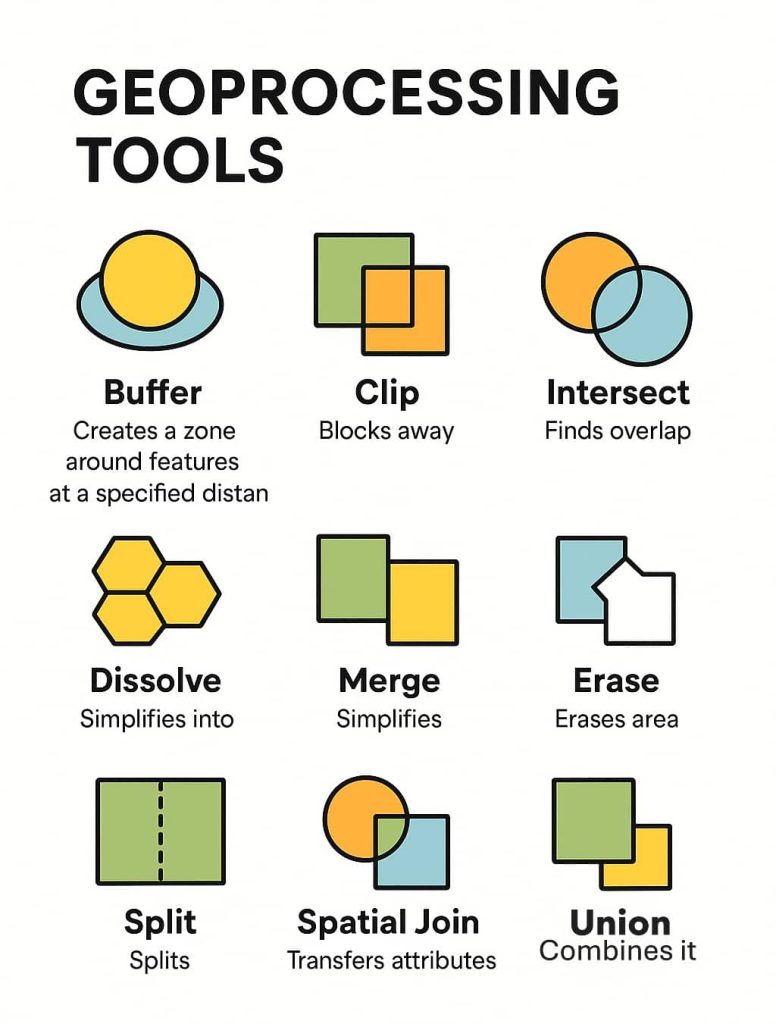
In this article, we will discuss ArcGIS Geoprocessing Tools and learn how to create them. Geoprocessing: Tools (ArcGIS) Geoprocessing refers to a set of Geographic Information Systems (GIS) operations used to analyze, manipulate, and transform spatial data. It is essential for solving spatial problems and making informed decisions based on geographic data. Geoprocessing Tools are […]
Geoprocessing Read More »

KML File to Shapefile

Convert KML File to Shapefile in ArcGIS Keyhole Markup Language (KML) is an Geographic Data , basically it is a Google Earth Data structure. In this Tutorial Learn how to convert KML file to Shapefile. Save or Export KML file, first open Google Earth. now you can search any places or create polygon, path or

KML File to Shapefile Read More »

Surface Analysis in GIS

Surface Analysis

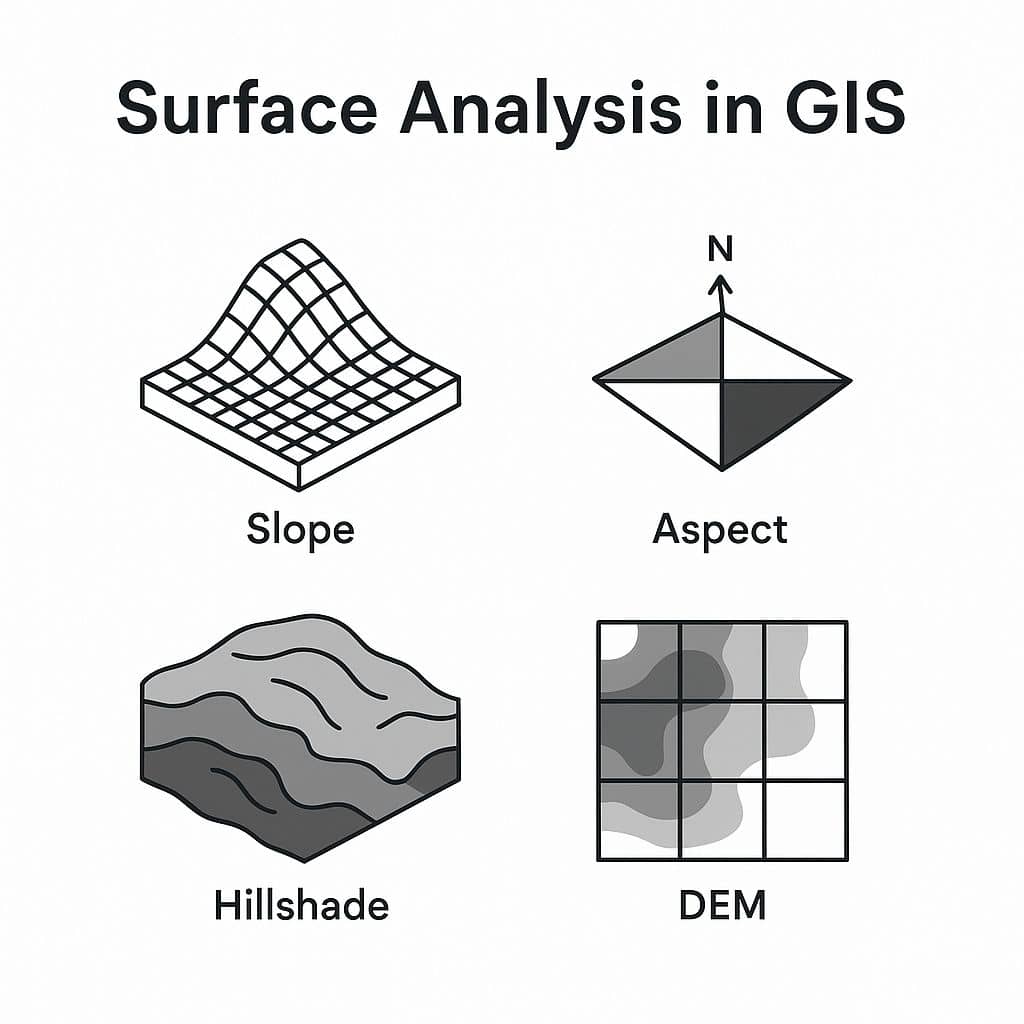
Surface Analysis in GIS Surface Analysis represents height values for an Elevation surface or structure of a Surface. In this Tutorial, learn How to create different types of Surface Analysis map in ArcGIS. Term Description Slope Measures the steepness or degree of incline of a surface. Aspect Direction a slope faces (e.g., north, south). Hillshade

Surface Analysis Read More »

Convert Raster to Vector ArcGIS

Convert Raster to Vector Convert Raster to Vector (Interactive R2V Conversion) Using ArcScan This Tutorial Learn How to Convert Raster to Vector in ArcGIS, and it‘s called Interactive R2V Conversion or Interactive Tracing. Prepare Map Add an Image (US.jpg) on ArcMap your Raster image is RGB Format. At first, convert to float, otherwise, you don’t perform this task. Raster to Float 1. Open a Search pane, in the search box search Raster to float.

Convert Raster to Vector ArcGIS Read More »

Triangulated Irregular Network (TIN)

Triangulated Irregular Network

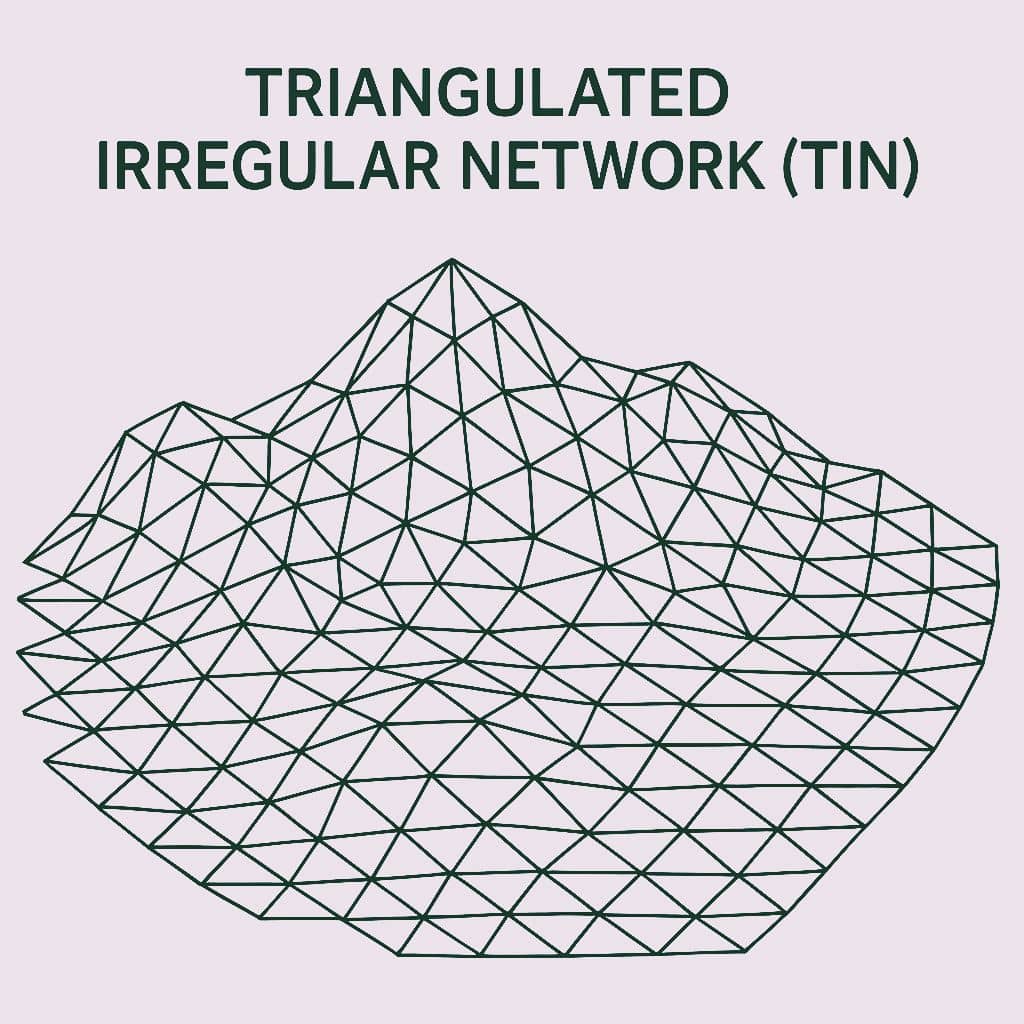
Triangulated Irregular Network (TIN) represents surface morphology. TINs are a form of vector-based digital Geographic data and are constructed by triangulating a set of points (vertices). The vertices are connected with a series of edges to form a network of triangles. In this Tutorial, Learn how to create TIN in ArcScene. Create Triangulated Irregular Network

Triangulated Irregular Network Read More »

Scroll to Top